Microwave Door Won't Open? How to Release a Stuck Door
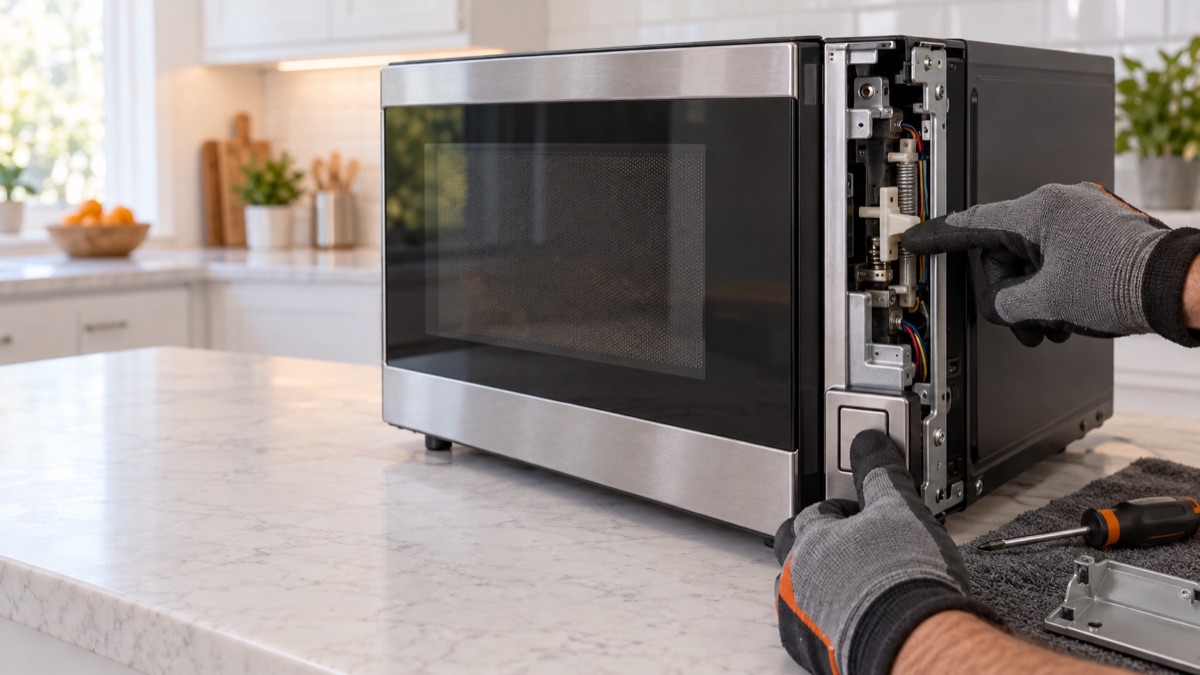
When a microwave door will not open, the release button does nothing and the door stays stuck closed. Usually, a broken latch lever or a snapped spring is the cause. First, press the button and feel for a return. Then, inspect the latch lever below.
Parts to inspect for a microwave door that will not open
1. Door Latch Lever or Button
The latch lever or release button retracts the hooks so the door can open. When the lever or its spring breaks, the door stays stuck closed. Therefore, check that the button moves freely and returns, and look for a snapped spring or hook. Replace the latch lever or button assembly so the door releases.
Try the release and a power cycle
Before you force anything, work the release. First, press and hold the open button firmly and feel whether the lever returns. Then, unplug the unit for a minute in case the control holds the lock. Because a snapped lever spring is the common cause, if the button feels dead the latch lever is the part to replace.
Get the parts
We supply OEM and replacement parts in bulk. Browse the Appliance Parts catalog, or request a bulk quote for volume orders.
Is the microwave old or failing often? So weigh a repair against a new unit, and browse complete microwaves and more when a replacement makes more sense.
Most of the time, a microwave door that will not open traces back to one worn part. So replace it, then run a short test with a cup of water and confirm the fix.