Microwave Making a Loud Noise? Common Causes and Fixes
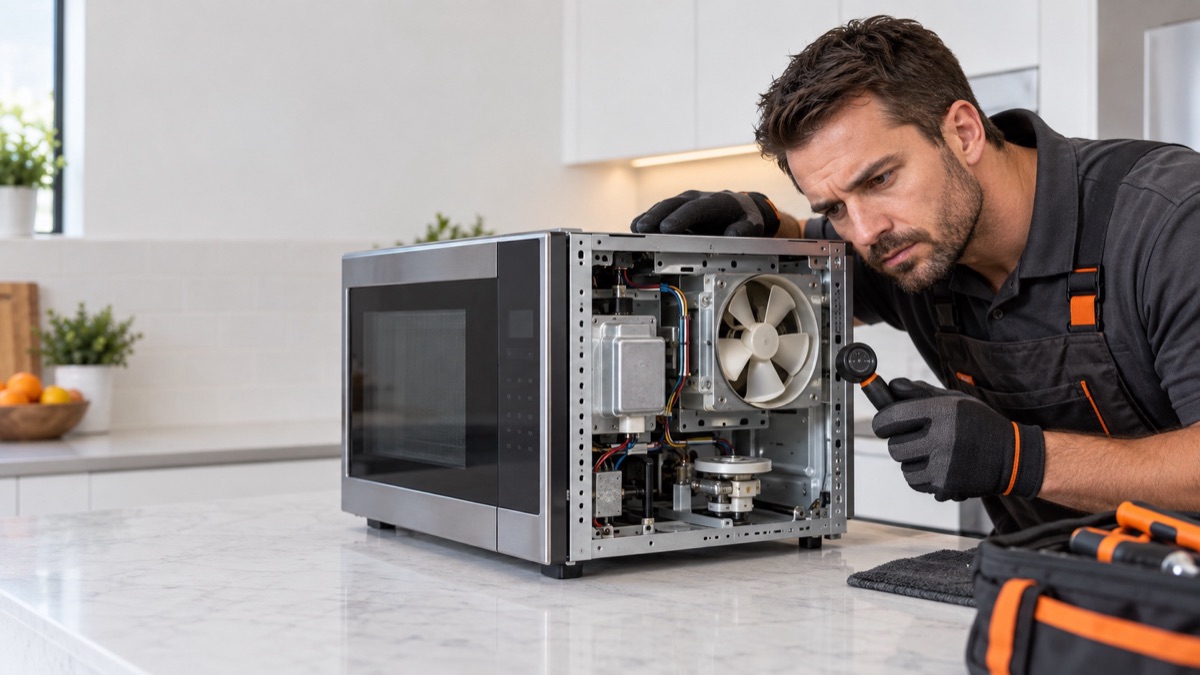
A microwave making a loud noise usually points to a worn drive motor, a bad coupler, or a failing magnetron. When a microwave is making a loud noise, a grinding sound often means the turntable drive, while a loud hum can mean the magnetron or diode. Therefore, locate the sound first. Then, inspect the parts below.
Parts to inspect for a microwave making a loud noise
1. Drive Motor
A grinding or clicking during rotation usually points to the drive motor. The drive motor turns the turntable so food cooks evenly. When it fails, the plate stops turning while the microwave still heats. So unplug the unit, reach the motor under the cavity floor, and test it for continuity and free rotation. Replace the drive motor if it is open or seized.
2. Magnetron
A loud hum or drone under load often traces to the magnetron. The magnetron is the tube that produces the microwave energy that heats food. When it fails, the unit powers up and the plate turns, but nothing heats, and you may hear humming or arcing. Therefore, a qualified technician should discharge the capacitor and test the magnetron for continuity across the filament and for a short to the housing. Replace the magnetron if it reads open or grounded.
3. Drive Coupler
A rhythmic scrape as the plate turns can mean a worn coupler. The drive coupler links the motor shaft to the turntable and locks the plate in place. When it cracks or strips, the motor turns but the plate does not, or the plate wobbles. Therefore, lift the plate and inspect the coupler for wear and a tight fit. Replace the coupler if it is cracked or no longer grips.
4. Roller Guide
A rumble as the plate turns often means a cracked roller-guide wheel. The roller guide is the wheeled ring the turntable rides on. When a wheel breaks or the ring warps, the plate drags, sticks, or turns roughly. So remove the plate and check the roller guide for broken wheels and smooth travel. Replace the roller guide if a wheel is missing or cracked.
5. High Voltage Diode
A failing diode can also cause a loud buzz along with poor heating. The high voltage diode works with the capacitor to double the voltage that drives the magnetron. When it opens or shorts, the microwave runs but does not heat. A shorted diode often causes loud buzzing or arcing. Therefore, a qualified technician should discharge the capacitor and test the diode. A healthy diode blocks both ways on an ordinary meter, so it needs a tester with a nine volt battery in series, and then it conducts one way only. Replace the diode if it conducts both ways, stays open with that added voltage, or is blistered.
6. Cooling Fan
The cooling fan moves air across the magnetron so it does not overheat. When it fails or clogs with grease, the unit gets noisy and can trip the thermal cut-out. Therefore, check that the fan spins freely and clear any grease or debris. Replace the fan motor if it is loud, slow, or seized.
Get the parts
We supply OEM and replacement parts in bulk. Browse the Appliance Parts catalog, or request a bulk quote for volume orders.
Is the microwave old or failing often? So weigh a repair against a new unit, and browse complete microwaves and more when a replacement makes more sense.
Most of the time, a microwave making a loud noise traces back to one worn part. So replace it, then run a short test with a cup of water and confirm the fix.
In short, a microwave making a loud noise is usually the turntable drive or, on a hum, the magnetron.