Microwave Will Not Turn On? How to Find the Cause
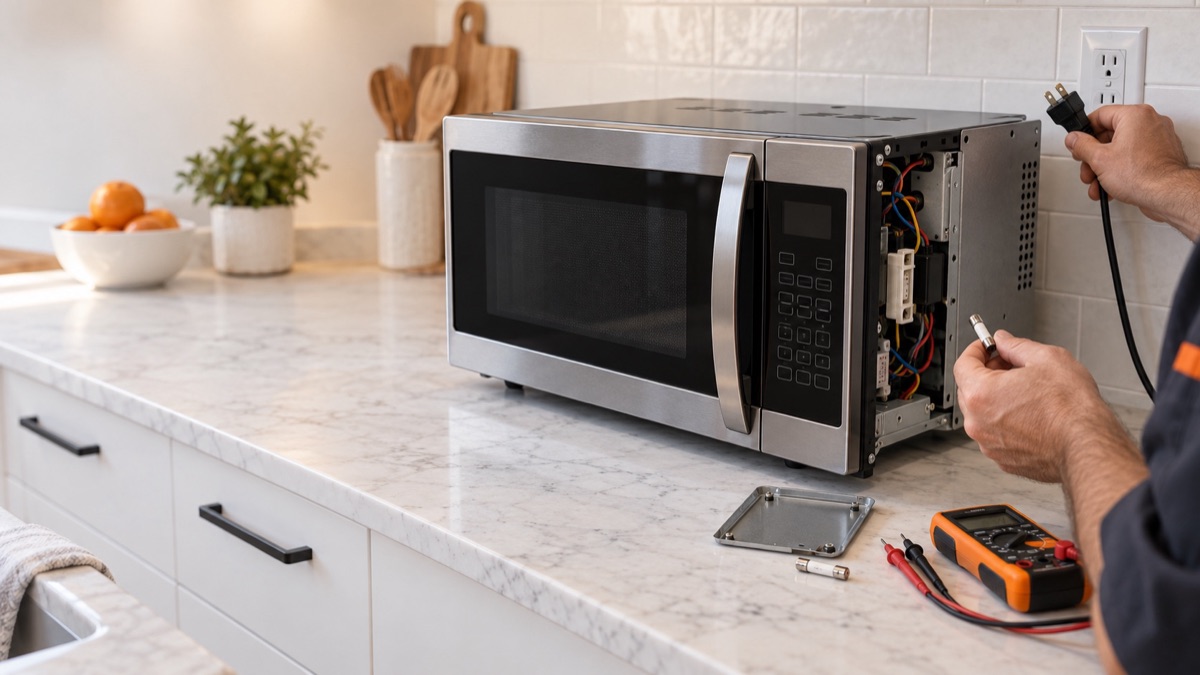
When a microwave will not turn on, the display or the whole unit stays dead. Usually, a blown ceramic fuse, a tripped thermal fuse, or a failed door switch is the cause. First, confirm the outlet has power. Then, check the fuses and door parts below.
Parts to inspect for a microwave that will not turn on
1. Door Switch
For a dead unit, a door switch that fails open can block power entirely. The door switches tell the microwave the door is shut so it can power the magnetron. When one fails, the unit may stay dead or run without heating. So test each switch for continuity as the door closes and listen for the click. Replace any switch that does not make and break contact correctly.
2. Ceramic Fuse
The ceramic line fuse protects the microwave and blows if a component shorts or the door switches fail in the wrong order. When it blows, the unit goes completely dead. So test the fuse for continuity, and check the door and monitor switches that often take it out. Replace the fuse, but find and fix the cause first, or the new one will blow.
3. Thermal Fuse or Cut-Out
The thermal fuse or cut-out opens if the microwave overheats, which kills power to protect the unit. When it trips or fails, the microwave will not start. Therefore, test it for continuity and check for blocked vents or a failed cooling fan behind the overheat. Replace it if it reads open, and clear the airflow problem that caused it.
4. Door Latch Assembly
If the door will not seat, the switches never close and the unit stays dead. The door latch assembly holds the door closed and trips the door switches. When the latch or its hooks wear or break, the door does not seat and the microwave will not run. So inspect the hooks and springs for wear and clean breaks. Replace the latch assembly if it no longer holds the door or trips the switches.
Get the parts
We supply OEM and replacement parts in bulk. Browse the Appliance Parts catalog, or request a bulk quote for volume orders.
Is the microwave old or failing often? So weigh a repair against a new unit, and browse complete microwaves and more when a replacement makes more sense.
Most of the time, a microwave that will not turn on traces back to one worn part. So replace it, then run a short test with a cup of water and confirm the fix.